Mitsubishi kumo cloud, MHK2 and PAR Controls in Burbank
Straight answer: Burbank Mitsubishi HVAC sets up and troubleshoots Mitsubishi kumo cloud, MHK2 and PAR controls for ductless systems across Burbank and the 91504 north end, wiring one PAC-USWHS002-WF-2 adapter per head so each zone schedules correctly. Many false fault calls trace to controls, not the compressor, so call (213) 513-5256 or book online.
Key facts
- kumo cloud uses the PAC-USWHS002-WF-2 Wi-Fi adapter, typically one per indoor head.
- MHK2 is a RedLINK wireless wall thermostat with receiver; PAR-40MAA / PAR-33MAA are wired controllers.
- App offline issues are usually 2.4 GHz Wi-Fi or the adapter, not the air conditioner.
- Per-zone scheduling trims runtime during long Climate Zone 9 heat stretches.
- We confirm a control fault is not masking an S1/S2/S3 comm error (codes E6-E9).
- Independent service across the 91501-91523 ZIPs.
What does kumo cloud actually do?
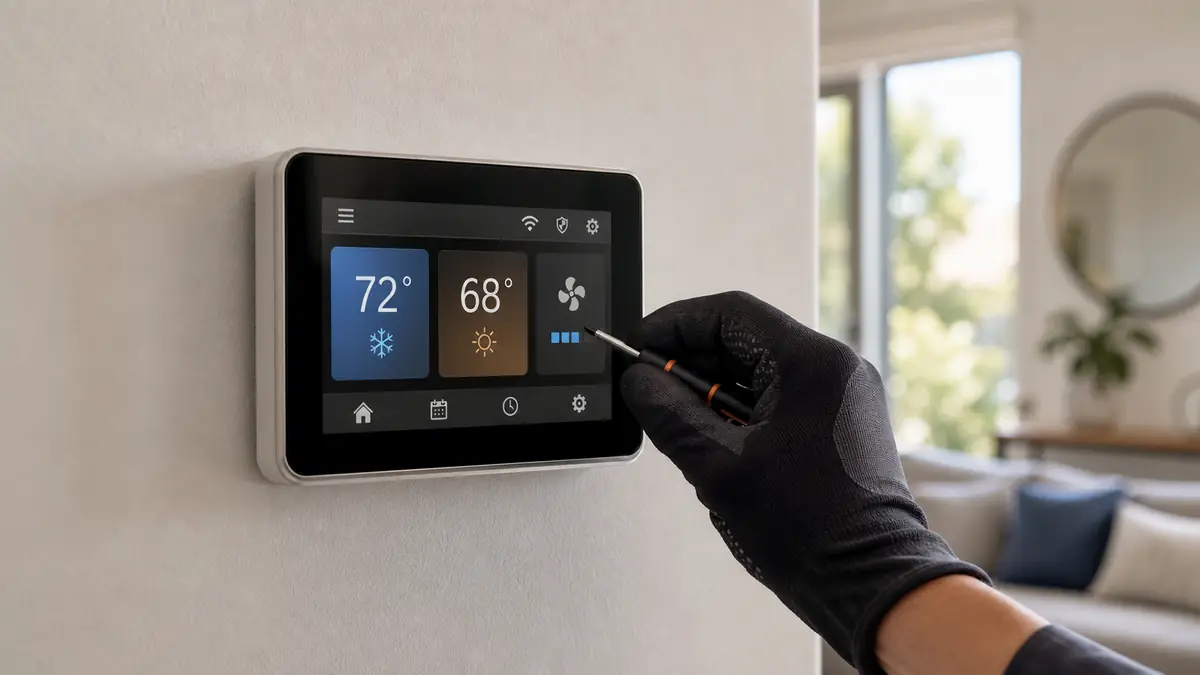
kumo cloud is the phone app and Wi-Fi interface that turns a Mitsubishi ductless system into something you can run and watch from anywhere. Each indoor head gets a PAC-USWHS002-WF-2 adapter wired in and joined to your home Wi-Fi; from there you set schedules, change set points room by room, and see fault status. For a Burbank household that wants to pre-cool the bedrooms before a 95 F afternoon without walking around with a handful of remotes, that per-zone scheduling is the main draw.
Which control should I run?
| Control | Model / part | How it works | Best for |
|---|---|---|---|
| kumo cloud + PAC adapter | PAC-USWHS002-WF-2 | Phone app, one adapter per head | Phone-first owners, multi-zone monitoring |
| MHK2 wireless thermostat | MHK2 (RedLINK) | Wall thermostat + wireless receiver | Owners who want a physical wall stat |
| PAR wired controller | PAR-40MAA / PAR-33MAA | Hard-wired wall controller | Ducted SVZ/MVZ and P-Series systems |
| Handheld remote | Stock IR remote | One per head, local only | Simplest setup, no app or scheduling |
One rule holds across the table: kumo cloud needs an adapter per indoor head, so a four-zone Magnolia Park retrofit takes four adapters, not one for the house. We count that into the quote so there is no surprise.
How does a kumo cloud setup actually go?
The setup is methodical, and most of the time is in confirming, not wiring. We mount and wire the PAC-USWHS002-WF-2 adapter to the indoor unit's low-voltage terminals on each head, power up, and join each adapter to the home 2.4 GHz network, the band Burbank's older stucco walls already strain. Then we register each unit in the app, name the zones, and build the schedule with you, typically a morning pre-cool and a setback for empty rooms. Before we leave we verify every zone responds from the app and from its local remote, and that no adapter is sitting on a marginal signal in a far back bedroom. That last check is what prevents the offline-unit calls that look like equipment failures but are really a weak router reach.
Why do controls cause so many false service calls?
Because a unit that will not respond looks broken even when the equipment is fine. A dropped Wi-Fi link, an unpaired adapter, or a schedule fighting a manual set point all read as a malfunction. The real diagnostic skill is separating those from an actual fault. The table below is how we triage a kumo complaint before anyone touches the refrigerant circuit.
| What you see | Likely layer | First check |
|---|---|---|
| Unit offline in app, but runs on remote | Control / Wi-Fi | 2.4 GHz signal at the adapter, re-pair |
| Schedule ignored, random set points | Control | Conflicting manual override or schedule |
| Head shows P4 / P5 in app | Equipment | Condensate drain, pump, float |
| Head shows E6 - E9 in app | Equipment | S1/S2/S3 wiring, control PCB |
| Weak cooling plus U7 / P8 | Equipment | Refrigerant leak at flares, recharge |
Reading the code first is the whole point: an E6 or U7 in the app is the unit reporting a genuine fault that a new thermostat will not fix, while an offline-only symptom is usually a weak router signal in a stucco-walled back bedroom.
How do controls tie into the rest of the system?
The control you pick should match the equipment. Wall heads and multi-zone systems lean toward kumo cloud or MHK2; ducted SVZ and MVZ air handlers usually run a PAR wired controller. If your control is showing a code rather than just acting offline, start at the fault-code page. For thermostat compatibility on a ducted system, see the thermostat setup page.
Common questions about Mitsubishi kumo cloud controls
What exactly is kumo cloud?
It is Mitsubishi's Wi-Fi app and interface that lets you control and monitor a ductless system from your phone. Each indoor head needs its own PAC-USWHS002-WF-2 adapter wired to the unit; once it is on your Wi-Fi you get scheduling, remote set points and fault visibility for that zone.
kumo cloud, MHK2 or a PAR controller, what is the difference?
kumo cloud is the phone-app route with one adapter per head. The MHK2 is a RedLINK wireless wall thermostat with a receiver, for people who want a physical thermostat on the wall. PAR-40MAA and PAR-33MAA are wired wall controllers used mainly on ducted and P-Series systems. We match the control to your equipment and how you like to run it.
My kumo app keeps dropping the unit offline. Why?
Usually Wi-Fi signal or the adapter, not the air conditioner. The PAC adapter sits inside or beside the head and needs a solid 2.4 GHz signal; a far bedroom in a stucco Burbank house can be marginal. We check signal, re-pair the adapter, and confirm it is not a deeper S1/S2/S3 comm fault on the unit itself.
Do these controls need a service tech, or can I set them up?
Basic app pairing is homeowner-friendly. The wiring of a kumo adapter or an MHK2 receiver into the indoor unit, and confirming it does not introduce a comm fault, is where we help, especially on a multi-zone system where each head gets its own adapter.
Can I see Mitsubishi fault codes in the kumo cloud app?
Yes. One real advantage of kumo cloud is that the app surfaces the unit's status and fault codes, so a P4 drain fault or an E6 communication error shows on your phone instead of only as a blink pattern on the head. That makes a remote diagnosis faster: we can often tell you over the phone whether it is a filter, a drain or something that needs a tech before we even route out.
Does kumo cloud work if my internet goes down?
The head keeps running on its last schedule and set point, and the handheld remote still controls it locally, so a Burbank internet outage does not stop your cooling. What you lose temporarily is remote app control and monitoring until the connection returns. For that reason we never make the app the only way to run a system; there is always a local control on every zone.
Related: thermostat and control setup, Hyper-Heat heat pumps.